Age of AI ToolsRC
For YouJobsUse Cases

Join Our Community

Get the earliest access to hand-picked content weekly for free.

Spam-free guaranteed! Only insights.

Trusted by Leading Review and Discovery Websites

Product HuntSaaSHubAlternativeTo
AI Tools
  • ✨For You!
  • 🌐Discover All AI Tools
  • 🏆Best AI Tools
  • 💚Free AI Tools
  • 🎁Tools of the DayNEW
  • 🎯All Use Cases
  • 💼All Jobs
Trend UseCases
  • 🔥AI Image Generators
  • AI Video Generators
  • AI Voice Generators
  • 🔥Graphic Designer
  • SEO Specialist
  • Language Translator
Media Hub
  • Go to Media Hub
  • AI News
  • AI Wonders
  • AI Tips & Tricks
  • AI Tools Spotlights
Age of AI Tools
  • What's New
  • Story of Age of AI Tools
  • Cookies & Privacy
  • Terms & Conditions
  • Request Update
  • Bug Report
  • Contact Us
Submit & Advertise
  • ⊕Submit AI Tool
  • 🚀Promote Your Tool50% Off

Agent of AI Age

Looking to discover new AI tools? Just ask our AI Agent

Copyright ©2026 Age of AI Tools. All Rights Reserved.

>AI Tools>TwitterBookmarks
TwitterBookmarks logo
W

TwitterBookmarks: Organize Your Tweets with AI-Powered Bookmark Categories

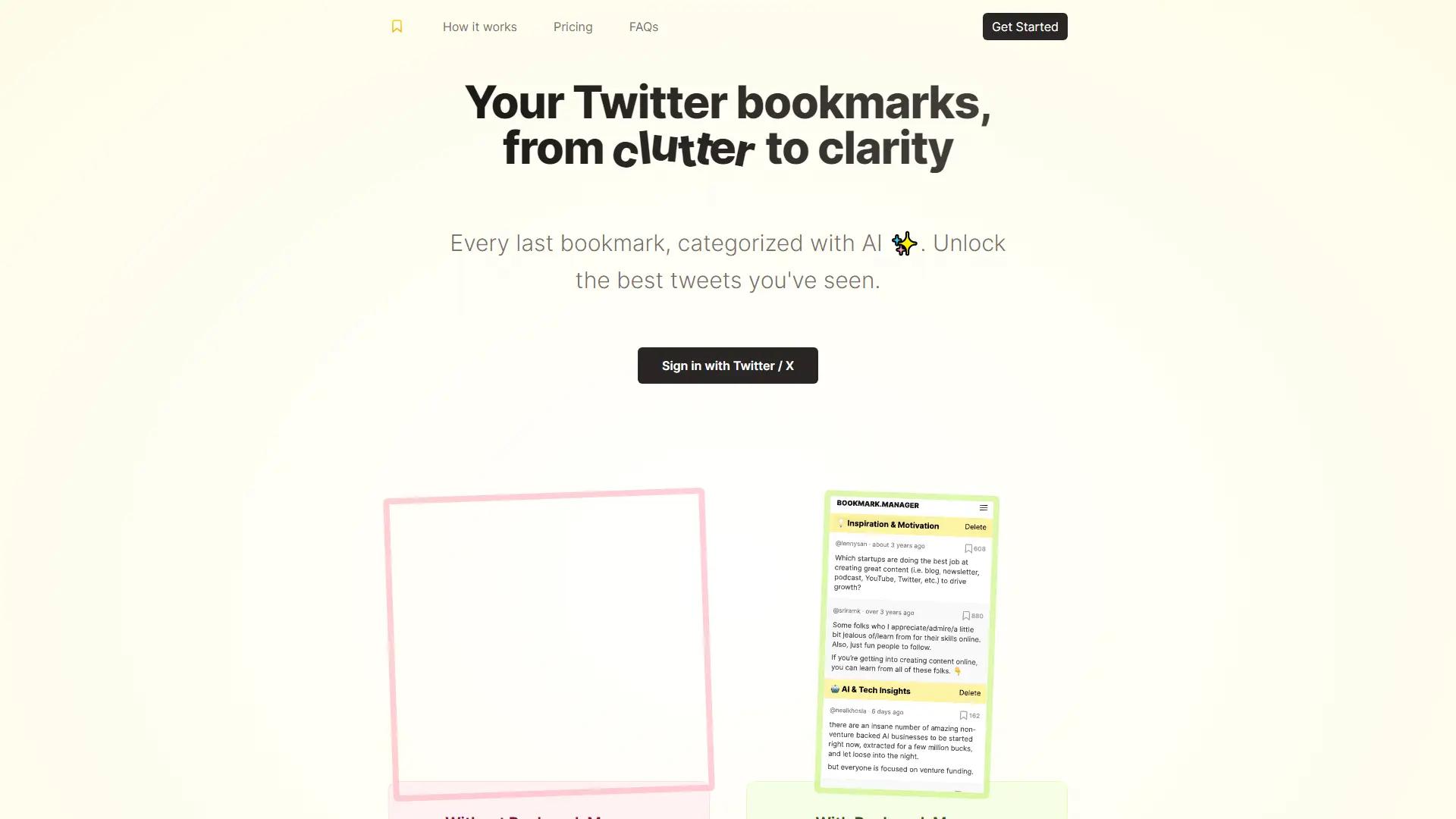
Organize your Twitter bookmarks effortlessly with AI! Categorize saved tweets using GPT-4 and find what you need instantly. Bulk export and unlimited access make managing your bookmarks simple.
Paid
3.0
out of 5
Visit Website9.7M
TwitterBookmarks screenshot

Best for

UI/UX Designer
Web Designer

Useful as

Social Networking AI Tools
AI Text Generators
AI Chatbot Tools

Platforms

Web Apps
Updated on Nov 9, 2025 (3 months ago)

AI Assistants for Twitter: Effortlessly Organize Your Bookmarks with TwitterBookmarks

AI assistants for Twitter, like TwitterBookmarks, are revolutionizing how users manage their social media experience. TwitterBookmarks is a powerful tool designed to streamline your Twitter bookmarking process. By leveraging the latest GPT-4 technology, this AI social media assistant automatically categorizes your saved tweets into crystal clear categories, making it effortless to find the information you need. With support for bulk export in CSV or JSON format, you can declutter your Twitter experience and efficiently manage your bookmarked tweets. A one-time purchase grants you unlimited access to this game-changing tool, allowing you to stop hoarding bookmarks and start taking action on the best tweets you've saved with ease.

Pricing

Pricing Model

One-Time Purchase

Pricing Plans

TwitterBookmarks offers a single pricing plan: a one-time purchase of $29 USD. This "All in One" plan grants you unlimited access to the bookmark manager, including features like auto-categorization powered by GPT-4, custom category creation, and bulk export options for CSV and JSON files. There are no recurring fees or subscriptions associated with this pricing model. Here's a breakdown of the key points: One-time purchase: Pay $29 USD once to unlock unlimited access. Unlimited bookmarks: Store as many bookmarked tweets as you want. Auto-categorization: GPT-4 automatically sorts your bookmarks into relevant categories. Custom categories: Create your own categories for specific interests. Bulk export: Download your bookmarks in CSV or JSON format.

$ 29

---

Related Topics

#ai assistants#ai for twitter#ai social media assistant

TwitterBookmarks Alternative AI Tools

Discover alternative AI tools similar to TwitterBookmarks that may better suit your needs.

Discover AI Tools
Buffer
Buffer4.7

StoryChief
StoryChief4.6

Narrato
Narrato4.6

Sprinklr
Sprinklr4.6

Hootsuite
Hootsuite4.6

SocialPilot
SocialPilot4.6

Predis AI
Predis AI4.6

SocialBee
SocialBee4.6

AI Social Post Generator
AI Social Post Generator4.6

FeedHive
FeedHive4.5

TwitterBookmarks Related Jobs

Explore professional roles that benefit from using TwitterBookmarks.

Explore All Jobs

UI/UX Designer

12 Tools

Web Designer

10 Tools

#7893rdin 16.7K AI Tools

Maker
Not Claimed
Publish DateJul 28, 2009
Platforms
W
Web Apps
TwitterBookmarks
TwitterBookmarks
3.0
9.7M